Table of Contents
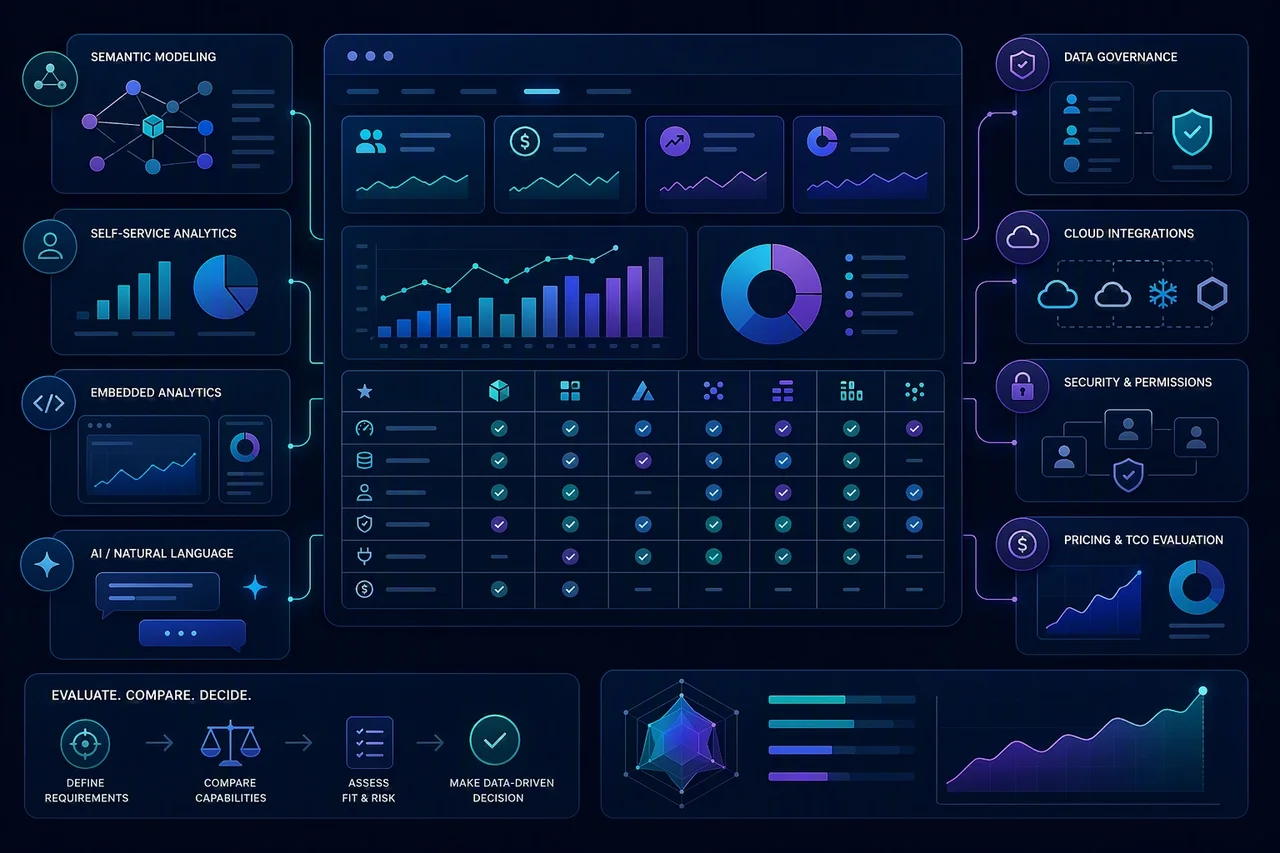
A useful business intelligence software comparison should go beyond dashboard screenshots. The best BI software for one company may be a poor fit for another if the data model, governance needs, embedding requirements, pricing model, or user base are different. This guide compares leading BI tools using a transparent, buyer-focused methodology. It evaluates each platform across semantic modeling, governance, self-service analytics, visualization, embedded analytics, AI and natural-language querying, integrations, deployment, scalability, security, pricing, and best-fit audience.
Key Takeaways
- The best BI software depends on the buyer’s data maturity, governance needs, user base, budget, and deployment requirements.
- Power BI, Tableau, and Qlik remain strong enterprise BI options, while platforms such as Sigma, ThoughtSpot, and Omni are gaining attention for cloud-native analytics, AI-assisted workflows, and governed semantic layers.
- Metabase and Apache Superset can be strong options for technical teams that want lower-cost or open-source BI, but they require more internal ownership.
- Embedded analytics, semantic modeling, AI querying, and governance should be evaluated separately because not every BI tool is strong in all areas.
- Custom BI software may be better when off-the-shelf tools cannot support unique workflows, embedded customer analytics, complex data permissions, or product-specific reporting.
How We Compared the Best BI Software
This article uses a transparent buyer-focused methodology rather than a sponsored ranking. Each tool was evaluated based on practical buying criteria that affect implementation, adoption, governance, and long-term cost.
| Evaluation Area | Weight | What It Measures |
|---|---|---|
| Semantic modeling and metric consistency | 15% | Whether the tool supports governed metrics, reusable definitions, semantic layers, and consistent reporting logic. |
| Governance and security | 15% | Permissions, row-level security, access control, auditability, compliance support, and data trust. |
| Self-service analytics | 10% | How easily non-technical users can explore data without breaking governance. |
| Visualization and dashboarding | 10% | Dashboard quality, interactivity, storytelling, and report design flexibility. |
| Embedded analytics | 10% | Ability to embed dashboards, reports, or analytics experiences into products or customer portals. |
| AI and natural-language querying | 10% | AI-assisted analysis, natural-language search, question answering, explainability, and grounding in trusted data. |
| Integrations and data connectivity | 10% | Native connectors, warehouse support, SaaS integrations, APIs, and ecosystem compatibility. |
| Deployment and scalability | 10% | Cloud, self-hosted, hybrid, enterprise scale, performance, and administration. |
| Pricing and total cost of ownership | 10% | Public pricing, pricing transparency, user-based vs capacity-based models, implementation cost, and maintenance overhead. |
This article is not a sponsored ranking. The order is based on buyer fit, category relevance, and platform capabilities, not affiliate or vendor preference.
Business Intelligence Tools Comparison Table
This master comparison table outlines how the leading business intelligence tools perform across key operational dimensions. Use this high-level overview to quickly evaluate which platforms align with your organization’s specific technical architecture, reporting requirements, budget structures, and analytical capabilities.
| BI Tool | Best For | Key Strength | Main Limitation | Pricing Style |
|---|---|---|---|---|
| Microsoft Power BI | Microsoft-centric teams and enterprise reporting | Strong Microsoft/Fabric ecosystem, familiar reporting, broad adoption. | Can become complex at scale; governance depends heavily on setup. | Public per-user and capacity pricing. |
| Tableau | Visual analytics and enterprise dashboarding | Strong visualization, dashboard design, and analytics culture. | Can be expensive and requires governance discipline. | Public role-based pricing plus enterprise tiers. |
| Qlik Sense | Associative analytics and governed enterprise BI | Strong associative engine, data exploration, and governance. | Pricing and capacity planning can be complex. | Capacity/user-based plans and quote-based enterprise. |
| Looker | Governed metrics and semantic modeling | Strong LookML semantic layer and Google Cloud alignment. | Requires modeling expertise and disciplined development workflow. | Quote-based / cloud pricing. |
| Sigma | Cloud data warehouse teams and spreadsheet-like analytics | Familiar spreadsheet-style interface on live cloud data. | Best suited to modern cloud data stacks; may not fit legacy BI needs. | Quote-based or plan-based, verify before publication. |
| ThoughtSpot | AI-assisted search and self-service analytics | Strong natural-language querying and AI-assisted exploration. | Needs clean, trusted data models to work well. | User/usage-based and enterprise pricing, verify before publication. |
| Metabase | Startups, SMBs, and technical teams | Simple setup, open-source option, fast internal dashboards. | Less enterprise governance depth than larger BI suites. | Open-source plus paid hosted/enterprise plans. |
| Apache Superset | Engineering-led open-source BI | Flexible, open-source, SQL-friendly, and customizable. | Requires technical ownership, hosting, security, and maintenance. | Open-source; hosting/ops costs apply. |
| Domo | Executive dashboards and business-wide data apps | Strong business dashboards, connectors, and operational visibility. | Can be costly and may require careful data governance. | Quote-based / package-based, verify before publication. |
| Sisense | Embedded analytics and product-facing BI | Strong embedded analytics and developer-oriented customization. | May be more than needed for simple internal reporting. | Quote-based, verify before publication. |
| Omni | Governed self-service analytics and semantic modeling | Modern semantic layer, governed exploration, and warehouse-native workflows. | Newer than legacy BI leaders; buyer should assess ecosystem fit. | Quote-based or plan-based, verify before publication. |

Microsoft Power BI
Microsoft Power BI is a common choice for organizations already invested in Microsoft 365, Excel, Azure, Teams, or Fabric. It offers broad adoption, familiar report-building patterns, and a strong ecosystem for enterprise analytics. The platform can support dashboards, semantic models, sharing, and embedded scenarios, but the quality of governance and scale depends heavily on how it is configured.
Best fit when:
- Your organization already uses Microsoft 365, Excel, Teams, Azure, or Fabric.
- You need a practical enterprise BI platform with broad internal adoption potential.
- You want strong reporting capabilities with a familiar user experience.
- You plan to invest in workspace design, permissions, and governance.
- You need a platform that can support both self-service and centralized BI workflows.
Limitations to consider:
- Governance and content sprawl can become issues without strong admin practices.
- Some advanced scenarios require more modeling and platform knowledge than casual users expect.
- Embedded and capacity-based deployments can add complexity to planning.
- Exact pricing should be verified on Microsoft’s current pricing page before publication.

Tableau
Tableau is known for strong visualization, dashboard design, and data storytelling. It is often a good fit for organizations that prioritize visual analysis and analyst-led exploration. Tableau can be powerful in enterprise environments, but it requires disciplined governance and can become expensive as usage grows.
Best fit when:
- Visualization quality and interactive dashboard design are top priorities.
- Analysts need flexible exploration and presentation-ready outputs.
- Your organization already has Tableau skills or an established Tableau practice.
- You want a mature enterprise BI platform with broad market recognition.
- You need a tool that supports both self-service analysis and governed reporting.
Limitations to consider:
- Licensing and rollout costs can be significant in larger deployments.
- Governance discipline matters if you want consistent metrics and trusted reporting.
- Some teams may find the workflow more complex than simpler BI tools.
- Exact pricing should be verified on Tableau’s current official pricing page before publication.

Qlik Sense
Qlik Sense is built around associative analytics, which helps users explore relationships across data without following a rigid query path. It is often appealing to enterprise teams that need governed exploration, strong data discovery, and advanced analytics capabilities. The platform can be powerful, but pricing and capacity planning may take more effort to evaluate.
Best fit when:
- Associative exploration and governed enterprise analytics matter.
- Users need to discover relationships across multiple datasets.
- You want a platform with strong analytics and governance capabilities.
- Your team can support capacity planning and platform administration.
- You need a BI tool that can support larger enterprise deployments.
Limitations to consider:
- Licensing and capacity planning can be harder to compare than simpler tools.
- Some buyers may need more implementation support to get full value.
- Exact pricing and package details should be verified on Qlik’s official page before publication.
- The platform may be more than a small team needs for basic reporting.

Looker
Looker is centered on governed metrics and semantic modeling through LookML, which makes it appealing for teams that want consistent definitions across the business. It fits well in warehouse-centric environments, especially for organizations using Google Cloud and BigQuery. The trade-off is that Looker typically requires modeling expertise and a more disciplined development workflow.
Best fit when:
- Metric consistency and governed modeling are critical.
- Your team uses Google Cloud or BigQuery.
- You have data modeling resources and a structured analytics workflow.
- You want a strong semantic layer for reusable business logic.
- Embedded analytics is part of your product or customer-facing strategy.
Limitations to consider:
- LookML and modeling practices add a development requirement.
- Teams without dedicated analytics engineering may face a steeper learning curve.
- Buyers should verify current pricing and packaging directly with the vendor.
- It may be less approachable for teams looking for purely ad hoc exploration.

Sigma
Sigma brings a spreadsheet-like interface to live cloud warehouse data, which can make it attractive for business users who prefer familiar workflows. It is often a good fit for modern data stacks where analysis happens directly against the warehouse. Sigma is strongest in cloud-native environments and may be less suitable for legacy BI architectures.
Best fit when:
- Business users rely heavily on spreadsheet-style workflows.
- Your company uses a modern cloud warehouse such as Snowflake, BigQuery, or Databricks.
- You want live data exploration without exporting to spreadsheets.
- Your analytics team wants a governed interface on top of warehouse data.
- You are replacing manual spreadsheet reporting with a more controlled BI layer.
Limitations to consider:
- It may not be the best match for legacy BI stacks or disconnected data environments.
- Buyers should verify current pricing and contract structure before publication.
- Adoption depends on having a reliable warehouse and modeling discipline.
- It can still require setup work for permissions, modeling, and shared definitions.

ThoughtSpot
ThoughtSpot is built around search-driven and AI-assisted analytics, which can help users ask questions in natural language and explore data more quickly when models are trusted. It is often evaluated by teams that want self-service access without relying entirely on dashboard browsing. Like other AI-enabled BI tools, its value depends on data quality and semantic consistency.
Best fit when:
- Natural-language querying and AI-assisted analytics are priorities.
- Business users need fast self-service answers.
- Your data models are clean, governed, and trusted.
- You want to support both exploration and embedded analytics use cases.
- Your team is comfortable validating current product capabilities and pricing directly with the vendor.
Limitations to consider:
- AI features are only as useful as the underlying data model and metadata.
- Buyers should verify current pricing, availability, and feature packaging before publication.
- It may be less effective when data definitions are inconsistent.
- Some organizations may need change management to encourage search-based usage.

Metabase
Metabase is a practical option for teams that want quick internal dashboards, a lightweight setup, and an open-source path. It is often popular with startups, SMBs, and technical teams that want to move quickly without a heavy BI implementation. The trade-off is that it offers less enterprise governance depth than larger BI suites.
Best fit when:
- You need practical internal dashboards quickly.
- Budget matters and you want a lower-cost entry point.
- Your team can manage a lighter BI setup.
- You want both an open-source option and paid hosted plans.
- SQL-friendly reporting and simple exploration are enough for your use case.
Limitations to consider:
- It offers less governance depth than enterprise BI suites.
- Open-source deployments still require internal ownership and maintenance.
- Advanced enterprise needs may outgrow the platform.
- Hosting, security, and support requirements should be part of the buying decision.

Apache Superset
Apache Superset is an open-source BI platform that appeals to engineering-led teams that want flexibility and control. It is SQL-friendly, customizable, and useful for organizations that can operate their own BI stack. Because it requires hosting, maintenance, and security ownership, it is usually a better fit for technical teams than for business users who want a turnkey tool.
Best fit when:
- You want open-source BI and full control over the stack.
- Your team has engineering and DevOps resources.
- SQL-first analytics works for your organization.
- You are comfortable self-hosting and managing upgrades.
- You need a customizable BI layer for internal analytics.
Limitations to consider:
- It requires technical ownership for hosting, security, and maintenance.
- Business-user onboarding can be harder than with managed BI platforms.
- Operational costs still apply even if software licensing is free.
- The platform may need more internal support to reach production quality.

Domo
Domo is often evaluated by organizations that want executive dashboards, broad operational visibility, and managed business applications. It includes a large connector ecosystem and can support embedded use cases, which makes it attractive for cross-functional reporting. Buyers should still assess governance and total cost carefully, especially in larger rollouts.
Best fit when:
- Executives and business teams need broad operational visibility.
- You want managed dashboards and business apps in one platform.
- Connector breadth matters to your reporting strategy.
- You need a tool that can support cross-department reporting.
- Embedded analytics is part of the use case.
Limitations to consider:
- It can be costly compared with lighter BI tools.
- Governance and data modeling still require planning.
- Buyers should verify pricing and package details with the vendor.
- Some teams may find it more platform-heavy than they need for basic reporting.

Sisense
Sisense is a strong candidate for product-facing analytics and embedded BI. It is often used when a company wants to place analytics inside a SaaS product or customer portal, and it offers developer-oriented customization to support that goal. For simple internal reporting, however, it may be more platform than a team needs.
Best fit when:
- Embedded analytics is a primary requirement.
- You are building analytics into a SaaS product or customer portal.
- Developer customization and product UX matter.
- You need a BI layer that can support multi-tenant scenarios.
- You want a platform designed with product-facing analytics in mind.
Limitations to consider:
- It may be more complex than necessary for basic internal reporting.
- Implementation can require specialized technical expertise.
- Buyers should verify pricing directly with the vendor.
- Product teams still need to plan for integration, security, and maintenance.

Omni
Omni is a modern BI platform focused on governed self-service and semantic modeling on top of warehouse-native data. It is often attractive for teams that want a lighter but structured analytics layer without sacrificing governance. As a newer platform, buyers should assess ecosystem fit, team readiness, and long-term adoption patterns carefully.
Best fit when:
- Governed self-service and semantic modeling are priorities.
- Your team wants a modern BI layer on top of a cloud warehouse.
- Business users need exploration without creating metric chaos.
- You value warehouse-native workflows and reusable metrics.
- You want a newer platform that is focused on analytics engineering patterns.
Limitations to consider:
- It is newer than legacy BI leaders, so ecosystem fit matters.
- Buyers should verify pricing, packaging, and support terms directly.
- It may require thoughtful modeling to deliver consistent value.
- Teams should test how well it fits existing warehouse and governance practices.
Business Reporting Tools Comparison by Use Case
Selecting the right platform depends on your specific operational needs. This business reporting tools comparison maps common organizational scenarios to the most suitable software options.
| Use Case | Best-Fit Tool | Primary Reason |
|---|---|---|
| Microsoft Ecosystem Integration | Power BI | Native compatibility with Office 365 and Azure. |
| Advanced Data Visualization | Tableau | Strong dashboard design flexibility |
| Guided Data Exploration | Qlik Sense | Associative engine links disparate data sources dynamically. |
| Centralized Metrics Governance | Looker | LookML ensures a single source of truth. |
| Spreadsheet-Style Cloud Analytics | Sigma | Familiar interface directly queries cloud data warehouses. |
| Search-Driven Analytics | ThoughtSpot | Natural language queries enable faster self-service exploration when data is well modeled |
| Budget-Friendly SQL Reporting | Metabase | Easy setup for non-technical and technical users. |
| Open-Source Customization | Apache Superset | Flexible open-source BI for technical teams, with hosting and maintenance costs still required. |
| Rapid Executive Dashboards | Domo | Extensive pre-built connectors streamline cloud data integration. |
| Custom Embedded Analytics | Sisense | Robust developer tools support white-labeled product integration. |
BI Software Comparison by Capability
Evaluating platforms requires analyzing how core features align with your data architecture. The table below compares key capabilities, including semantic modeling, governance, self-service, visualization, embedded analytics, AI/NLQ, open-source flexibility, enterprise scalability, and warehouse-native analytics, helping teams identify the right technical fit for their reporting needs.
| Capability | Strongest Options | Buyer Notes |
|---|---|---|
| Semantic modeling | Looker, Omni, Power BI, Tableau Next | Evaluate how metrics are defined, governed, versioned, and reused. |
| Governance | Power BI, Tableau, Qlik, Looker | Strong governance depends on configuration, not only vendor features. |
| Self-service analytics | Sigma, ThoughtSpot, Tableau, Power BI | Self-service works best when data models are trusted. |
| Visualization | Tableau, Power BI, Qlik, Domo | Dashboard polish and flexibility vary by team skills. |
| Embedded analytics | Sisense, Power BI Embedded, Looker, ThoughtSpot Embedded, Metabase | Compare APIs, theming, tenant isolation, and licensing. |
| AI/NLQ | ThoughtSpot, Power BI, Tableau, Qlik | Verify current AI features, availability, and grounding in governed data. |
| Open-source flexibility | Metabase, Apache Superset | Lower license cost but higher internal ownership. |
| Enterprise scalability | Power BI, Tableau, Qlik, Looker, Domo | Implementation architecture matters as much as the tool. |
| Warehouse-native analytics | Sigma, Looker, Omni, ThoughtSpot | Best for teams using modern cloud data warehouses. |
Pricing and Total Cost of Ownership
BI pricing is difficult to compare because vendors use different models. Some charge by user role, some by capacity, usage, query volume, embedded views, or enterprise contract. Open-source tools can reduce license costs, but they still require hosting, support, DevOps, upgrades, and security management. Embedded analytics can also change pricing significantly because costs may depend on tenants, sessions, viewers, or infrastructure usage.
Do not make a final BI purchasing decision based only on license price. Buyers should also evaluate implementation cost, data modeling work, governance setup, training, support, infrastructure, and long-term maintenance.
| BI Tool | Pricing Model | What Buyers Should Verify |
|---|---|---|
| Microsoft Power BI | Public per-user and capacity pricing. | Current plan tiers, embedded pricing, and Fabric packaging. |
| Tableau | Public role-based pricing plus enterprise tiers. | Viewer, Explorer, Creator costs and enterprise contract terms. |
| Qlik Sense | Capacity/user-based plans and quote-based enterprise. | Capacity model, usage limits, and support terms. |
| Looker | Quote-based / cloud pricing. | License packaging, deployment model, and implementation requirements. |
| Sigma | Quote-based or plan-based. | Warehouse requirements, contract scope, and usage assumptions. |
| ThoughtSpot | User/usage-based and enterprise pricing. | Feature packaging, AI capabilities, and contract structure. |
| Metabase | Open-source plus paid hosted/enterprise plans. | Self-hosting costs, support needs, and paid plan limits. |
| Apache Superset | Open-source; hosting/ops costs apply. | Infrastructure, DevOps, security, and maintenance costs. |
| Domo | Quote-based / package-based. | Contract scope, connector access, and usage assumptions. |
| Sisense | Quote-based. | Embedded analytics scope, developer needs, and tenant requirements. |
| Omni | Quote-based or plan-based. | Packaging, warehouse fit, and support terms. |
When Custom BI Software Is Better Than Off-the-Shelf Tools
Off-the-shelf BI tools are often the fastest way to launch internal dashboards. However, custom BI software can be more appropriate when analytics are part of the product experience, not just a reporting layer.
Custom BI may be better when:
- The company needs customer-facing analytics with a highly customized UX.
- Data permissions are complex, multi-tenant, or product-specific.
- Reporting must be embedded inside a SaaS product, marketplace, healthcare platform, fintech platform, logistics tool, or internal operations system.
- Workflows require analytics plus actions, approvals, alerts, or automation.
- Standard BI tools cannot integrate cleanly with internal systems.
- The company needs custom metrics, workflows, or data models that do not fit vendor limitations.
- Licensing costs become too high for a large external user base.
- The team needs full control over branding, performance, security, or deployment.
Scopic can help teams evaluate whether an off-the-shelf BI platform, embedded analytics tool, or custom BI solution is the right fit based on data architecture, user roles, security needs, integrations, and product roadmap.
How to Choose the Best BI Software
Choose Power BI if:
- Your company already uses Microsoft 365, Excel, Teams, Azure, or Fabric.
- You need strong enterprise reporting at a relatively accessible entry point.
- You can invest in governance and workspace management.
Choose Tableau if:
- Visualization quality and dashboard storytelling are priorities.
- Analysts need flexible exploration.
- Your organization already has Tableau skills.
Choose Qlik Sense if:
- Associative exploration and governed enterprise analytics matter.
- Users need to discover relationships across datasets.
- You want strong analytics plus governance.
Choose Looker if:
- Metric consistency and governed modeling are critical.
- Your team uses Google Cloud or BigQuery.
- You have data modeling resources.
Choose Sigma if:
- Business users rely heavily on spreadsheet-style workflows.
- Your company uses a modern cloud warehouse.
- You want live data exploration without spreadsheet exports.
Choose ThoughtSpot if:
- Natural-language querying and AI-assisted analytics are priorities.
- Business users need fast self-service answers.
- Your data models are clean and governed.
Choose Metabase if:
- You need practical internal dashboards quickly.
- Budget matters.
- Your team can manage a lightweight BI setup.
Choose Apache Superset if:
- You want open-source BI and full control.
- Your team has engineering and DevOps resources.
- SQL-first analytics is acceptable.
Choose Domo if:
- Executives and business teams need broad operational visibility.
- You want managed dashboards and business apps.
- Department-level reporting is a major use case.
Choose Sisense if:
- Embedded analytics is a primary requirement.
- You are building analytics into a SaaS product.
- Developer customization and product UX matter.
Choose Omni if:
- Governed self-service and semantic modeling are priorities.
- Your team wants a modern BI layer on top of a cloud warehouse.
- You want business users to explore data without creating metric chaos.
Best BI Software: Practical Recommendation
The best BI software is not simply the tool with the most features. It is the platform that fits your data architecture, governance model, users, budget, and reporting workflows.
Power BI is often a strong default for Microsoft-heavy organizations. Tableau remains strong for visual analytics. Looker and Omni are strong for governed semantic modeling. Sigma is useful for spreadsheet-like warehouse analytics. ThoughtSpot is strong for AI-assisted and natural-language exploration when data models are trusted. Metabase and Superset can work well for technical teams and cost-conscious BI. Sisense is strong for embedded analytics, while Domo can be useful for broad executive and operational dashboards.
Conclusion
The best BI software is not the same for every organization. A small startup may get more value from Metabase or Power BI than from a complex enterprise BI suite. A SaaS company may need Sisense, Looker, Power BI Embedded, or a custom embedded analytics solution. A large enterprise may prioritize Power BI, Tableau, Qlik, or Looker because governance, security, scalability, and support matter at scale.
The right choice depends on data architecture, governance requirements, user base, embedded analytics needs, AI expectations, pricing model, and long-term maintenance. Before choosing a platform, teams should test shortlisted tools with real data, real users, and real reporting workflows. If your team is comparing BI tools or considering a custom analytics solution, Scopic can help you evaluate the right approach based on your data architecture, reporting workflows, user roles, integrations, and long-term product roadmap.
FAQ
What is the best BI software?
There is no single best BI software for every organization. Power BI is often strong for Microsoft-centric teams, Tableau for visual analytics, Looker and Omni for governed semantic modeling, Sigma for spreadsheet-like cloud analytics, ThoughtSpot for AI-assisted querying, and Sisense for embedded analytics. The best choice depends on data architecture, governance needs, users, budget, and reporting workflows.
What should I compare when choosing BI software?
Compare semantic modeling, governance, self-service analytics, visualization, embedded analytics, AI or natural-language querying, integrations, deployment options, security, scalability, pricing, and best-fit audience. Also evaluate implementation complexity and total cost of ownership, not just license price.
What is the difference between BI tools and business reporting tools?
Business reporting tools usually focus on scheduled reports, dashboards, and operational metrics. BI tools often go further by supporting self-service exploration, semantic modeling, governance, data discovery, embedded analytics, and AI-assisted analysis. In practice, many modern platforms support both reporting and BI.
Which BI tool is best for small businesses?
Small businesses often consider Power BI, Metabase, Zoho Analytics, or Tableau depending on budget, technical skill, and reporting needs. Metabase can be a good fit for technical teams that want simple internal dashboards, while Power BI can be practical for companies already using Microsoft tools. Pricing and support needs should be verified before choosing.
Which BI tool is best for enterprises?
Enterprises often evaluate Power BI, Tableau, Qlik, Looker, Domo, and Sisense because governance, security, scalability, role management, and support matter at scale. The best enterprise BI tool depends on the company’s data stack, cloud provider, user roles, compliance needs, and embedded analytics requirements.
Which BI tools are best for embedded analytics?
Sisense, Power BI Embedded, Looker, ThoughtSpot Embedded, and Metabase are common options to evaluate for embedded analytics. The right choice depends on tenant isolation, APIs, theming, authentication, pricing model, and how deeply analytics need to fit into the product experience.
Are open-source BI tools really free?
Open-source BI tools such as Apache Superset and Metabase Open Source can reduce software licensing costs, but they are not completely free to operate. Teams still need to pay for hosting, infrastructure, security, upgrades, support, and internal maintenance.
When should a company build custom BI software instead of buying a tool?
Custom BI software may be better when analytics are part of a product workflow, when user permissions are complex, when embedded dashboards need a highly customized UX, or when standard BI tools cannot support required integrations, automation, or multi-tenant reporting. Off-the-shelf BI tools are usually faster for internal dashboards, while custom BI can be better for product-specific analytics.
This guide was written by Scopic Team
Scopic provides quality and informative content, powered by our deep-rooted expertise in software development. Our team of content writers and experts have great knowledge in the latest software technologies, allowing them to break down even the most complex topics in the field. They also know how to tackle topics from a wide range of industries, capture their essence, and deliver valuable content across all digital platforms.