Table of Contents
Listen to article
For years, CRM systems have proven their importance in business settings. However, many organizations are finding that off-the-shelf solutions can limit growth by forcing teams to adapt their processes to the software rather than the other way around.
This realization has paved the way for custom CRM development. And with the global custom software development market projected to grow at a CAGR of 22.6% from 2025 to 2030, it’s no secret that an increasing number of businesses are looking for solutions that better fit their day-to-day operations.
But custom CRM development doesn’t happen overnight; it takes careful planning, the right development strategy, and a clear understanding of your business needs.
Keep reading to learn about the seven key steps involved in building a CRM, the best practices for creating a scalable system, and more.
What Is Custom CRM Development?
Custom CRM development is the process of designing, building, testing, and deploying a customer relationship management system tailored to a business’s specific workflows, goals, and operational requirements. Businesses often pursue a custom CRM solution when they need specialized features, seamless integrations, greater scalability, or enhanced control over their data.
Industries with complex processes and unique customer management needs, such as healthcare, finance, real estate, e-commerce, and manufacturing, can often benefit the most from a custom CRM solution built around the way they work.
Custom CRM vs. Off-the-Shelf CRM: Which Is Right for Your Business?
Unlike ready-made CRM platforms, custom CRM software is built around a company’s existing processes rather than requiring teams to adapt their workflows to fit the software.
However, that doesn’t mean a custom CRM is always the right choice. For some businesses, a pre-built solution may provide all the functionality they need while offering faster implementation.
Below, we compare the two:
When Custom CRM Software Development May Be Right for You
If your company requires tailored workflows, greater flexibility, enhanced security, and better scalability, then you could likely benefit from bespoke software.
For instance, let’s say a healthcare provider wants to manage patient communications, appointment scheduling, billing workflows, and regulatory compliance within a single system. While a standard CRM may support some of these functions, a custom CRM can be designed to accommodate the organization’s specific processes, integrate with existing healthcare systems, and scale as patient demand grows.
When an Existing CRM System May Meet Your Business Needs
An off-the-shelf CRM system may be enough if your business has straightforward sales processes and doesn’t require extensive customization. For example, a small e-commerce business can often manage customer information, track leads, and automate follow-ups using a standard CRM platform.
However, if that business continues to grow and needs more advanced automation, specialized workflows, or integrations with other systems, it may eventually outgrow its CRM.
Build vs. Buy: A Decision Framework
Not sure whether to build or buy? The image below provides a quick decision framework to help determine whether your company may need a custom CRM solution.

Why Businesses Invest in Custom CRM Development
Now that we’ve covered how custom CRM software compares to off-the-shelf solutions, let’s take a closer look at why so many businesses choose this approach.
Here are some of the biggest advantages to consider:
- Align customer relationship management with your business processes: Rather than forcing teams to adapt to predefined workflows, a custom CRM can be built around the way your business already operates.
- Increase team productivity and collaboration: By centralizing information and automating routine tasks, a custom CRM can help teams work more efficiently and stay aligned across departments.
- Improve customer experiences through centralized data: With customer information stored in a single location, employees can access the insights they need to provide faster, more personalized service.
- Strengthen data security and compliance: Custom CRM systems can be designed with specific security requirements and compliance standards in mind, giving businesses greater control over how sensitive data is stored and accessed.
How Custom CRM Development Improves Sales Automation Processes
While a custom CRM can benefit nearly every part of a business, sales teams often feel the impact first. That’s because many of the time-consuming tasks that slow down the sales process, such as assigning leads, sending follow-up reminders, updating records, and managing pipeline stages, can be automated.
Instead of spending hours on administrative work, sales representatives can focus more of their time on building relationships and closing deals. Custom CRM solutions can also support more advanced workflows, such as lead scoring, opportunity tracking, and personalized outreach, helping teams prioritize the right prospects at the right time.
With a clearer view of the sales pipeline and easier access to customer data, businesses can make faster decisions, respond to leads more efficiently, and create a smoother sales process that scales as they grow.
How to Build a CRM: A Step-by-Step Development Roadmap

Step 1: Define Business Goals and CRM Requirements
The first step to custom CRM development is to define business goals. This shouldn’t involve vague requirements such as “help streamline workflows” but rather specific objectives, such as reducing lead response times by 30%, automating follow-up emails, or integrating customer data from multiple systems into a single platform.
To help define these goals, ask yourself the following questions:
- What business challenges do we want the CRM to solve?
- Which processes are currently slowing down our sales, marketing, or customer service teams?
- What measurable outcomes do we hope to achieve with a custom CRM solution?
Step 2: Map Customer and Sales Workflows
The next step is to map out your customer and sales workflows, from the first buying signal to a closed deal and beyond. This includes every trigger, action, handoff, and customer interaction involved in the process, whether they occur within sales, marketing, or customer support.
By mapping out these workflows, your team can better understand which features your CRM requires, identify opportunities for automation, and uncover process bottlenecks.
Step 3: Prioritize Features for an MVP
A minimum viable product (MVP) is the simplest version of a product that includes only the essential features needed for early user testing and feedback. As such, choosing the right features is critical, as these capabilities should address your biggest business challenges and deliver immediate value to users.
When prioritizing features, focus on the functionality that directly supports your core goals and is used most frequently by employees. Features such as contact management, lead tracking, and workflow automation are often good starting points, while more advanced capabilities can be added as the CRM evolves.
Step 4: Design a Scalable CRM Architecture
A huge benefit of custom CRM development is that it can easily scale as your business grows. However, this only happens when scalability is considered from the start.
Top custom software development companies help design a CRM architecture that can support increasing user demands, larger data volumes, and new functionality without sacrificing performance.
One way to achieve this is by using a modular architecture, which makes it easier to add or update features as your needs change. Many businesses also choose cloud-based infrastructure so they can quickly scale resources up or down without investing in new hardware.
Step 5: Select the Right Technology Stack
Your tech stack determines your system’s performance, scalability, security, integration capabilities, and ability to support industry-specific customization. In other words, it’s pretty important.
Your tech stack will consist of frontend and backend technologies, database management systems, cloud infrastructure, APIs, and more. Don’t worry if you’re not sure how to decipher the right tools and technologies; your development partner will evaluate your unique business needs, goals, and feature requirements before building a tech stack that supports your custom CRM.
Step 6: Develop and Integrate Core Features
With the system’s foundation in place, you’re now ready to start development. During this stage, developers build and integrate the core features identified in Step 3, such as contact management, lead tracking, workflow automation, reporting dashboards, and user permissions.
This is also when any necessary third-party integrations are implemented, including AI integration for capabilities such as predictive analytics, intelligent search, automated data entry, or AI-powered customer insights.
Your CRM can also connect with marketing platforms, accounting software, customer support systems, and other business applications. By the end of this phase, your CRM should begin taking shape as a functional solution tailored to your business needs.
Step 7: Test, Deploy, and Continuously Improve
Custom CRM software development is only as good as its testing. This stage not only ensures the system meets business goals but also verifies data integrity, security, compliance requirements, and a smooth user experience. For organizations in regulated industries, this may also include validating HIPAA software compliance or other industry-specific standards.
Once testing is complete, the CRM can be deployed and rolled out to users. From there, ongoing improvements based on user feedback, performance data, and evolving business needs can help ensure the system continues to deliver value over time.
At Scopic, our team builds with scalability in mind from the start. Check out our custom software development services for tailored solutions that grow alongside your business.
Building for Growth: How to Create a Scalable CRM Development Strategy
Remember when we said scalability should be considered from the start? We meant it.
The key to custom CRM development is creating a system that can grow and adapt alongside your business. Unlike many off-the-shelf solutions, scalable CRMs make it easier to add new features, support more users, and handle increasing amounts of data as your needs evolve. After all, the last thing you want is to invest in a new CRM every time your company experiences a growth spurt.
There are several ways to build scalability into your CRM from day one, such as designing a modular CRM architecture, leveraging cloud infrastructure, and minimizing technical debt to make future updates and enhancements easier to implement.
It’s also important to follow a secure software development life cycle, which helps integrate security best practices throughout development rather than treating them as an afterthought.
Designing a Modular CRM Architecture
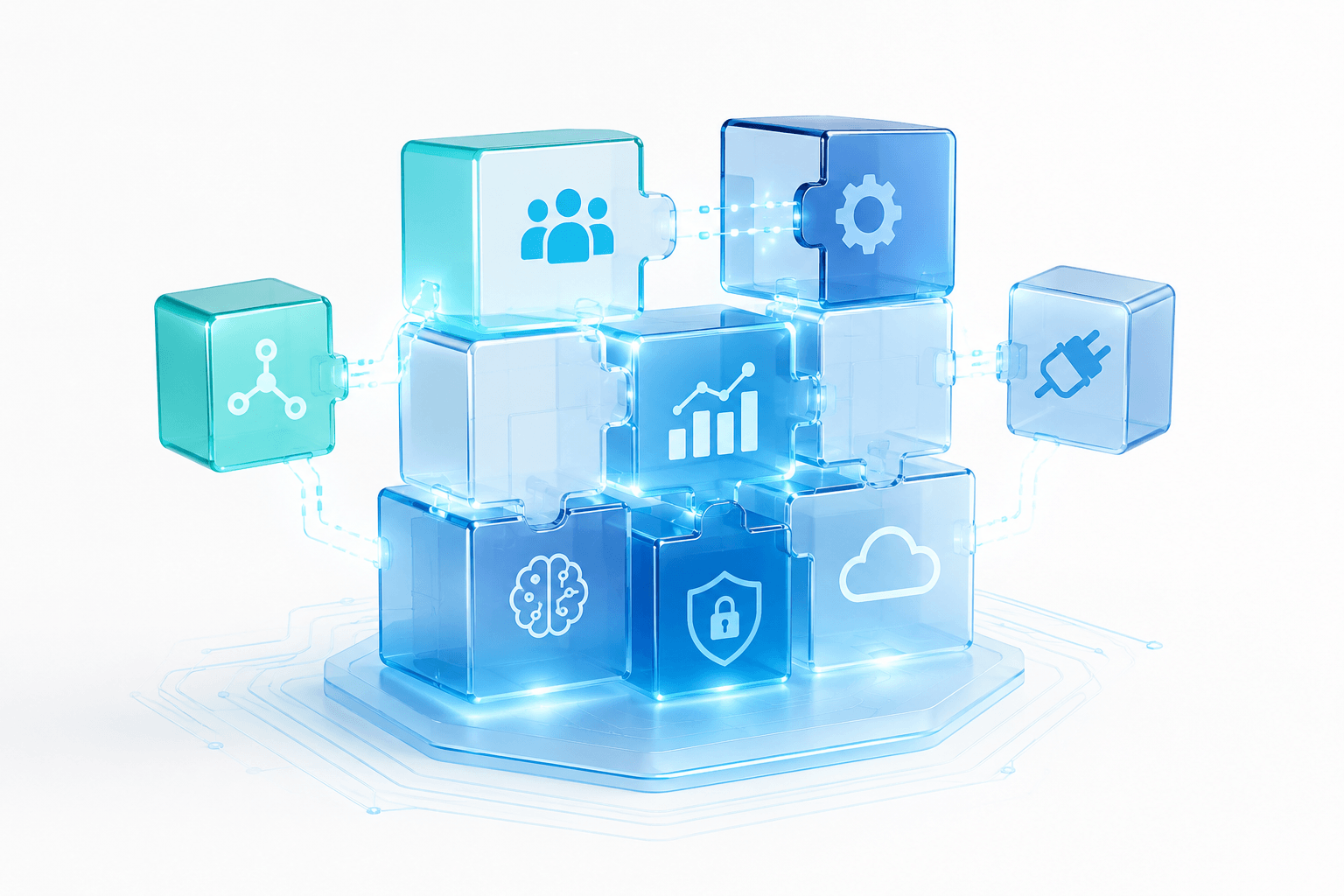
Some may go as far as saying that a modular design is the foundation of a successful CRM system. This approach builds systems using a variety of smaller, manageable components that each serve a specific purpose. Think of these as building blocks that can be added, removed, or updated without affecting the entire system.
This approach helps prevent companies from outgrowing their CRM, as new modules and features can be added as business needs evolve.
Using Cloud Infrastructure for Future Growth
Another effective way to build a scalable CRM is by leveraging cloud infrastructure. Unlike traditional on-premises systems, cloud-based environments make it easier to increase storage, computing power, and other resources as demand grows, helping businesses accommodate more users and larger volumes of customer data.
Cloud infrastructure also provides greater flexibility and reliability, allowing teams to access the CRM from virtually anywhere while reducing the need for costly hardware upgrades.
In other words, when your business grows, your CRM can grow with it. This is one of the reasons cloud-based systems have become so popular, as they make it easier to adapt to changing business needs without completely overhauling your technology.
Avoiding Technical Debt During CRM Software Development
Technical debt, or relying on shortcuts during software development, is one of the easiest ways to limit the long-term scalability of a CRM system. While these shortcuts may speed up development in the short term, they often come at the expense of code quality, maintainability, and future flexibility.
As a result, adding new features, integrating additional tools, or supporting a growing number of users can become more difficult and costly over time.
Essential Features Every Scalable Custom CRM Should Have
While every CRM system is different, it should come as no surprise that there are features that many successful systems have in common. This includes:
- Contact and account management: A CRM should make it easy to store, organize, and access customer information, giving teams a complete view of every account and interaction.
- Lead and opportunity tracking: This feature helps teams keep track of potential customers throughout the sales process so opportunities don’t slip through the cracks.
- Sales pipeline management: A sales pipeline gives teams a clear picture of where prospects are in the buying journey and what actions are needed to move deals forward.
- Workflow automation: By automating repetitive tasks like follow-up emails, lead assignments, and reminders, teams can spend less time on administrative work and more time building customer relationships.
- Reporting and analytics dashboards: Real-time dashboards make it easier to monitor performance, spot trends, and make more informed business decisions.
- Mobile accessibility: Mobile access allows employees to manage customer relationships and update information whether they’re in the office, working remotely, or meeting with clients.
- User roles and permission controls: Not everyone needs access to the same information, which is why role-based permissions are important for protecting sensitive data and maintaining security.
- AI-powered customer insights: Custom AI solutions can help uncover patterns in customer behavior, identify sales opportunities, and provide recommendations that help teams work smarter. As mentioned by Fortune Business Insights, “AI-driven chatbots, predictive analytics, and personalized recommendations are becoming standard features, enabling businesses to streamline operations and enhance customer experiences.”
Common Challenges in CRM Development Projects (and How to Avoid Them)
Even with careful planning, challenges can arise during custom CRM development. Understanding these potential roadblocks can help you prepare for them and build a more successful system.
- Poor requirements gathering: When project requirements aren’t clearly defined, developers may build features that don’t fully address business needs. Involving key stakeholders early and documenting requirements thoroughly can help avoid costly revisions later.
- Scope creep: It‘s easy for new feature requests to pile up during development, but constantly expanding the project’s scope can lead to delays and budget overruns. As part of your custom CRM development services, your dedicated software development team should help you establish priorities early and stick to a roadmap that keeps the project focused.
- Data migration difficulties: Moving customer data from existing systems to a new CRM can be complex, especially if records are incomplete, duplicated, or stored in multiple locations. Conducting a data audit before migration can help ensure a smoother transition.
- Integration challenges: Connecting a CRM with existing business tools isn’t always straightforward, particularly when dealing with legacy systems or custom applications. Planning integrations early can help prevent compatibility issues later in the development process.
- User adoption issues: Even the best CRM won’t deliver results if employees don’t use it. Providing training, gathering user feedback, and designing intuitive workflows can help encourage adoption across the organization.
- Scalability problems caused by short-term planning: We know, we’ve talked about scalability quite a bit already. That’s because it’s one of the most common mistakes businesses make during CRM development. When a system is designed only for today’s needs, it can quickly become difficult to expand as the business grows, making future updates more costly and complex.
Why Your Custom CRM Development Partner Matters
Choosing a trustworthy development partner can be the difference between:
Low user adoption and a CRM system employees actually want to use.
Poor data quality and reliable insights that support decision-making.
Unscalable infrastructure and a CRM that grows alongside your business.
All this to say that your development partner matters. When evaluating potential partners, look for proven results through case studies, industry experience, strong communication, and a commitment to long-term support.
At Scopic, we’ve spent more than 20 years helping businesses solve complex challenges through custom software development. Our CRM development services are designed to streamline processes, improve customer engagement, and create more efficient sales workflows tailored to each organization’s unique needs.
Interested in learning more? Contact our team today.
FAQs About Custom CRM Development
How long does it take to develop a custom CRM?
The timeline for custom CRM development depends on the complexity of the project, the number of features required, and the integrations involved. A basic CRM may take just a few months to develop, while more advanced or enterprise-level systems can take six months or longer.
How can I build my custom CRM from scratch?
Building a custom CRM starts with defining your business goals and mapping out customer and sales workflows. From there, you’ll need to prioritize features, design a scalable architecture, select the right technology stack, develop and test the system, and continuously improve it after deployment.
How much does custom CRM development cost?
Custom CRM development costs vary depending on factors such as project complexity, required features, and integrations. Smaller CRM projects may cost anywhere from $20,000 to $50,000, while larger enterprise solutions can exceed $150,000.
Looking for a more accurate quote? Contact our team.

About Custom CRM Development Guide
This guide was authored by Baily Ramsey.
Scopic provides quality and informative content, powered by our deep-rooted expertise in software development. Our team of content writers and experts have great knowledge in the latest software technologies, allowing them to break down even the most complex topics in the field. They also know how to tackle topics from a wide range of industries, capture their essence, and deliver valuable content across all digital platforms.