Table of Contents
Listen to article
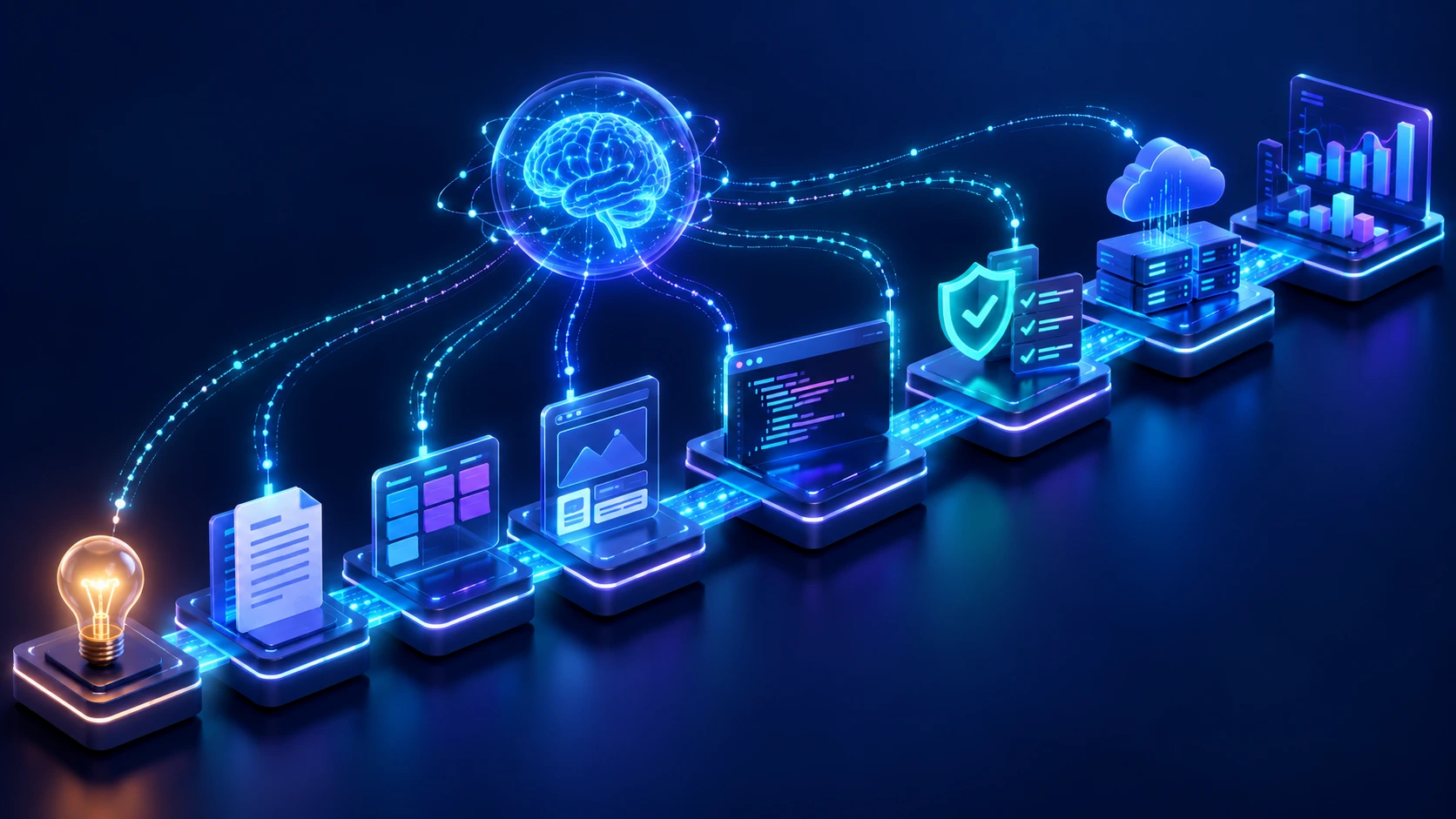
AI is changing how software is planned, designed, built, tested, deployed, and maintained. Its role now extends beyond code generation to requirements analysis, prototyping, quality assurance, deployment, and monitoring.
According to the 2025 Stack Overflow Developer Survey, 84% of respondents are using or planning to use AI tools in their development process. However, 46% distrust the accuracy of AI output, compared with 33% who trust it.
AI can accelerate individual tasks, but it does not automatically make an entire project faster, cheaper, or more reliable.
For SMBs, the key question is where AI can create measurable value without increasing technical debt, security risks, or review workloads.
This guide explains how AI is changing each SDLC stage, what smaller teams can realistically automate, and where human judgment remains essential.
Quick clarification: AI SDLC refers to using AI throughout the traditional software development lifecycle. It differs from the AI development life cycle, which covers how AI and machine learning products are built, deployed, and maintained.
What Is AI SDLC?
AI SDLC is an approach to software development in which artificial intelligence assists with requirements, planning, design, coding, testing, deployment, and maintenance.
AI may generate drafts, analyze information, automate routine tasks, or recommend actions. People remain responsible for context, validation, and high-impact decisions.
AI SDLC is often used to describe how AI is integrated across an existing software development lifecycle, although emerging AI-driven methodologies are beginning to formalize these workflows in different ways. The underlying software development model can still shape how those AI-supported activities are organized.
The role of AI in SDLC workflows can range from assisting with individual tasks to coordinating connected actions across several tools, so implementation can look different from one company to another.
Common terms include:
- AI-assisted SDLC: AI helps with individual tasks.
- AI-driven SDLC: AI is used across multiple stages.
- Agentic SDLC: AI agents complete connected, multi-step tasks.
- AI-native SDLC: Workflows are designed around ongoing AI participation.
These categories are not yet standardized. The practical difference is how much authority AI receives and where human approval is required.
What AI Tools Support the SDLC?
AI tools for SDLC workflows vary by stage and purpose. Some assist with a single task, while others support connected activities across the development lifecycle.
| SDLC stage | Type of AI tool | Example use |
| Requirements and planning | Requirements analysis and summarization tools | Summarize stakeholder input, draft user stories, flag gaps |
| UX design and prototyping | Generative design and prototyping tools | Generate user flows, interface concepts, and prototypes |
| Development | Coding assistants and software agents | Draft, explain, refactor, and document code |
| Testing and QA | AI testing tools | Generate test cases, suggest edge cases, analyze failures |
| Security and governance | AI security and compliance tools | Scan for vulnerabilities, detect secrets, check dependencies |
| Deployment and DevOps | AI DevOps and operations assistants | Troubleshoot deployments, analyze logs, support pipeline setup |
| Maintenance and monitoring | AI observability and support tools | Detect anomalies, group incidents, suggest likely causes |
The right tool depends on the task, the data involved, and the level of AI autonomy the team is comfortable with.
Traditional SDLC vs. AI-Driven SDLC
AI does not replace the stages of software development. It changes how work is produced, analyzed, and reviewed.
| Area | Traditional SDLC | AI-driven SDLC |
| Requirements | Teams collect and organize stakeholder input. | AI summarizes discussions, drafts requirements, and flags gaps. |
| Planning | Teams estimate work using experience and past projects. | AI drafts task breakdowns, dependencies, and planning scenarios. |
| UX design | Designers create flows, wireframes, and prototypes. | AI generates early concepts, variations, and prototype elements. |
| Development | Developers write and document most code. | AI generates, explains, and refactors code. |
| Testing | QA teams create tests and investigate defects. | AI drafts tests, suggests edge cases, and summarizes failures. |
| Security | Specialists review code and architecture. | AI scans for known risks while people validate findings. |
| Deployment | Engineers configure pipelines and approve releases. | AI assists with setup, troubleshooting, and release analysis. |
| Maintenance | Teams inspect logs, incidents, and support data. | AI identifies patterns and recommends possible actions. |
The main shift is in how responsibilities are divided. AI produces more drafts, analysis, and recommendations, while teams focus on context, validation, and decisions that affect the wider product.

This can improve efficiency, but it may also move the bottleneck. Faster code generation can create more review, testing, integration, and security work.
For SMBs, the goal is not maximum automation. It is choosing tasks where AI adds more value than review burden.
How AI Is Changing Every Stage of the Software Development Lifecycle
AI creates different opportunities at each stage of the SDLC. The value comes from using it for specific tasks, not applying it everywhere by default.
1. Requirements Gathering and Discovery
AI can turn interviews, meeting notes, support tickets, and survey responses into structured requirements. It can also draft user stories, group recurring themes, and flag missing or conflicting information.
For SMBs without a large product or business analysis team, this reduces administrative work and provides an organized first draft.
The team still needs to decide which problem is worth solving, resolve stakeholder disagreements, and confirm that the requirements reflect real user needs.
A practical workflow could look like this:
- Record stakeholder interviews with permission.
- Use AI to summarize goals, constraints, and open questions.
- Generate draft user stories and acceptance criteria.
- Review the output with stakeholders.
- Finalize the scope with a product manager or business analyst.
The main risk is false confidence: weak assumptions can look complete once AI turns them into polished requirements.
2. Planning, Estimation, and Prioritization
AI can help break features into tasks, identify likely dependencies, compare delivery scenarios, and prepare draft estimates.
For smaller teams, AI can organize planning inputs and surface risks before a formal estimate is prepared.
It may still miss factors such as:
- Legacy-system complexity
- Data migration
- Vendor dependencies
- Approval delays
- Security requirements
- Team experience
- Integration effort
AI is useful for preparing a stronger first pass, but technical leads must validate the final budget and timeline.
A typical workflow might involve AI generating a task breakdown, then a technical lead reviewing assumptions, adjusting dependencies, and confirming the estimate against team capacity.
Faster coding does not always mean faster delivery. Planning, integration, testing, review, and approvals may still determine the final timeline.
3. UX Design and Prototyping
AI can speed up early design work by generating user-flow ideas, interface variations, placeholder content, and simple prototypes.
This gives SMBs more room to compare directions, test assumptions earlier, and discard weak concepts before committing development resources.

The risk is that AI-generated interfaces often look more complete than they really are. A polished screen may still rely on generic patterns, weak product logic, or inaccessible design choices.
Designers still need to validate:
- User needs
- Brand alignment
- Accessibility
- Interaction logic
- Cultural context
- Product differentiation
- A designer can use AI to explore variations, refine the strongest options, and validate them with real users.
4. Software Architecture and Coding
AI can help developers generate boilerplate code, draft integrations, explain unfamiliar code, refactor repetitive logic, and create technical documentation.
For SMBs, this can reduce time spent on routine implementation and let experienced developers focus more on architecture, product logic, and system integration.
However, AI-generated code may still contain:
- Incorrect assumptions
- Outdated patterns
- Insecure logic
- Unnecessary complexity
- Weak error handling
- Invented libraries or APIs
- Dependencies that are poorly maintained or unsuitable for the project
AI also lacks full awareness of the product’s business goals, existing architecture, and long-term maintenance needs. Code that works in isolation may still create problems elsewhere in the system.
Human developers should therefore remain responsible for architecture, technology choices, scalability, performance, security, and maintainability.
A practical workflow could be:
- A developer defines the requirement and technical constraints.
- AI drafts a function, component, or integration.
- The developer reviews and adapts the output.
- Automated tests and security checks are run.
- Another qualified developer reviews high-impact changes.
- The code is tested within the full application before approval.
The goal is to reduce repetitive work without lowering the standard for what enters the product.
How Should AI-Generated Code Be Reviewed?
AI-generated code should be reviewed with the same care as human-written code, and often with additional scrutiny because it may look correct while hiding subtle mistakes.
Before approval, reviewers should confirm that:
- The developer understands what the code does.
- It matches the original requirement.
- It follows the project’s architecture and coding standards.
- Dependencies are real, maintained, and appropriately licensed.
- Error handling and edge cases are covered.
- Sensitive information is not exposed.
- Security risks have been checked.
- Tests cover the intended behavior.
- The code works within the full project environment.
- It does not introduce unnecessary complexity or technical debt.
The 2025 Stack Overflow Developer Survey found that 66% of respondents were frustrated by AI solutions that were almost correct, while 45% said debugging AI-generated code could take more time.
For smaller teams, this is an important warning. AI can increase output quickly, but the team still needs enough technical experience and review capacity to validate what it produces.
For broader guidance on code review, testing, documentation, and maintainability, see Scopic’s software development best practices.
5. Testing and Quality Assurance
AI can help QA teams draft test cases, suggest edge cases, generate test data, analyze failed tests, and identify patterns across recurring defects.
For SMBs, this can expand test coverage without requiring every test to be written manually.
However, more tests do not always mean better testing. AI may generate cases that are redundant, unrealistic, or based on the same flawed assumptions as the code.
Human reviewers still need to decide:
- Which scenarios are business-critical
- What acceptable quality looks like
- Whether test data is realistic
- Which defects block a release
- Whether usability and accessibility meet expectations
- Whether regulated requirements have been satisfied
A practical workflow could be:
- AI drafts test cases from the acceptance criteria.
- A QA specialist removes weak or duplicated cases.
- The team adds high-risk and business-critical scenarios.
- Tests are run in the correct environment.
- Failures are investigated and validated.
- A human approves release readiness.
AI can speed up test preparation, but the team must still define the quality standard.
6. Security and Governance
AI can assist with vulnerability scanning, dependency checks, threat-model ideas, secret detection, compliance documentation, and analysis of suspicious activity.
This can expand routine security coverage for smaller teams, provided qualified specialists validate the findings.
The main risks include:
- Sensitive code or data being shared with an unapproved AI tool
- Insecure or outdated code patterns
- Missed context-specific vulnerabilities
- False confidence in automated findings
- Unclear ownership when AI-generated work causes a problem
- Weak policies around approved tools and data access
Human specialists should remain responsible for threat modeling, regulatory interpretation, access controls, risk acceptance, incident response, and approval of high-impact changes.
A practical workflow might use AI to scan a proposed code change, flag possible vulnerabilities and exposed secrets, and summarize the findings. A security specialist would then verify the risks, determine whether remediation is required, and approve the change before deployment.
For a broader explanation of how security should be integrated across development, see Scopic’s guide to the secure software development life cycle.
Which SDLC Activities Should Not Be Fully Automated?
Some decisions carry too much business, security, or operational risk to be delegated entirely to AI. These include:
- Final architecture approval
- Security risk acceptance
- Compliance sign-off
- Production access decisions
- High-impact release approval
- Handling of sensitive customer data
- Incident-response decisions
AI can provide analysis or recommendations in these areas, but accountability should remain with a qualified person.

7. Deployment and DevOps
AI can assist with CI/CD configuration, infrastructure-as-code drafts, release summaries, deployment troubleshooting, and log analysis.
For SMBs without a large DevOps team, this can reduce time spent on repetitive setup and incident investigation.
However, deployment changes can affect live systems. A flawed recommendation may cause downtime, data loss, security exposure, or unexpected infrastructure costs.
Human review should still cover:
- Production approvals
- Access permissions
- Environment configuration
- Rollback plans
- Disaster recovery
- Infrastructure costs
- High-impact changes
A practical workflow could be:
- AI drafts a pipeline configuration or analyzes a failed deployment.
- An engineer checks the recommendation against the actual environment.
- Automated tests and security checks run.
- The team confirms rollback readiness.
- A qualified person approves the production release.
For more on iterative delivery and CI/CD, see Scopic’s guide to the Agile software development life cycle.
8. Maintenance, Monitoring, and Continuous Improvement
AI can summarize logs, group support tickets, detect unusual patterns, identify outdated dependencies, and suggest likely causes of recurring issues.
This helps smaller teams process more operational data without reviewing every alert or ticket manually.
Still, similar symptoms can have different causes, and an incorrect patch may create new problems elsewhere.
Human teams remain responsible for:
- Confirming the root cause
- Prioritizing incidents and technical debt
- Approving fixes
- Managing security incidents
- Communicating with customers
- Deciding when larger architecture changes are needed
A practical workflow might use AI to group related alerts and suggest likely causes. An engineer then checks the evidence, tests the proposed fix, and monitors the system after release.
AI can also help optimize software performance by analyzing code, logs, telemetry, and test results for likely bottlenecks. Engineers must still test any recommendation under real workloads.
For a broader overview of post-launch work, see Scopic’s guide to the phases of the software development process.
What Is an Agentic SDLC?
An agentic SDLC uses AI agents to complete connected development tasks rather than respond to one prompt at a time.

An agentic AI SDLC gives agents greater responsibility for coordinating actions across development tools, which makes clear permissions and approval points especially important.
For example, an agent may:
- Analyze a requirement
- Update the code
- Run tests
- Review the results
- Prepare a pull request
This differs from a standard coding assistant, which usually helps with one task at a time and waits for further instructions.
| Level | AI role | Example |
| AI-assisted | Suggests an output after a direct request | Drafting a test case |
| AI-automated | Performs a defined repetitive task | Running a vulnerability scan |
| Agentic | Plans and completes connected actions | Updating code, running tests, and preparing a pull request |
| AI-native | The workflow is designed around ongoing AI participation | AI coordinating tasks across the project lifecycle |
Agentic workflows may help smaller teams reduce repetitive coordination. However, they also require stricter controls because the AI can take actions across several tools.
SMBs should begin with narrow, reversible workflows. An agent might prepare a code change and test results while a developer reviews the work before it is merged.
Agents should not have unrestricted access to production systems, sensitive data, or high-impact approvals.
For more on building controlled agent-based solutions, see Scopic’s AI agent development services.
Can AI Reduce Software Development Costs and Timelines?
AI can reduce the effort required for specific tasks, but it does not guarantee a cheaper or faster project.

The result depends on factors such as:
- Requirement quality
- Existing technical debt
- Integration complexity
- Team experience
- Review capacity
- Security and compliance needs
- Tool and infrastructure costs
- The amount of rework caused by incorrect output
| AI may reduce | AI may increase |
| Time spent drafting documentation | Time spent reviewing output |
| Repetitive coding work | The volume of code that needs validation |
| Initial test creation | Debugging of plausible but incorrect results |
| Early prototyping time | Tool, training, and governance costs |
| Log and incident analysis | Technical debt if output is accepted too quickly |
The biggest mistake is measuring only how quickly AI produces a first draft. A team may generate code faster while spending more time reviewing, testing, integrating, and correcting it.
The better question is whether AI improves the full workflow without reducing quality, security, or maintainability.
This system-level view is supported by DORA’s 2025 research, which describes AI as an amplifier of an organization’s existing strengths and weaknesses. Strong processes can increase its value, while weak foundations may simply create problems faster.
For SMBs, the strongest gains usually come from removing repeatable bottlenecks rather than trying to automate the entire development process.
How SMBs Can Adopt AI Across the SDLC
The following AI SDLC framework helps SMBs start with one clear bottleneck, test a low-risk workflow, and expand only when the results are measurable.

Before selecting AI tools for SDLC workflows, teams should identify the specific problem they are trying to solve.
1. Identify the Real Bottleneck
Start with the problem, not the tool. Common bottlenecks include:
- Slow requirements documentation
- Repetitive coding tasks
- Limited QA capacity
- Outdated technical documentation
- Time-consuming deployment troubleshooting
- Large volumes of support tickets or logs
This gives the team a clear use case and baseline.
2. Start With a Low-Risk Workflow
Good starting points include:
- Meeting and interview summaries
- Draft documentation
- Backlog organization
- Test-case suggestions
- Code explanation
- Log summarization
- Internal knowledge search
Avoid starting with autonomous deployments, unreviewed code changes, sensitive-data handling, or final security decisions.
3. Define the Human Approval Point
Every workflow should specify:
- What AI is allowed to do
- Which data it can access
- Who reviews the output
- What requires approval
- How errors are reported
- How actions can be reversed
Clear ownership prevents AI-assisted work from moving forward without proper review.
4. Set a Baseline and Measure the Pilot
Before starting, record baseline delivery, quality, review, and cost metrics. Compare them with the pilot results using the measurement framework in the next section.
5. Expand Only After Validation
A workflow should scale only if it improves delivery without weakening quality, security, or maintainability.
The first pilot should be narrow enough to measure and safe enough to reverse. Once the team understands the benefits, risks, and review effort, it can introduce AI into more complex parts of the SDLC.
How to Measure Whether AI Is Improving Productivity
AI productivity should be measured across the full development process, not just by how quickly code is generated.
Weak indicators include:
- Lines of code
- Number of prompts
- Percentage of AI-generated code
- Number of suggestions accepted
- Speed of the first draft
These figures show activity, but not whether the project is moving faster or improving.
More useful metrics include:
Delivery Metrics
- Cycle time
- Lead time
- Deployment frequency
- Feature throughput
Quality Metrics
- Defect rate
- Rework
- Change failure rate
- Security findings
- Test reliability
Team Metrics
- Review workload
- Time spent correcting AI output
- Developer satisfaction
- Time saved on repetitive work
Business Metrics
- Cost per completed feature
- Time to user value
- Customer adoption
- Revenue impact
- Ability to test more ideas
The key is to compare these metrics before and after introducing AI.
A team may code faster while review time increases. It may release more features while defect rates rise. Productivity improves only when the overall workflow produces better results with less waste.
What Should an SMB Ask an AI-Assisted Software Development Partner?
A development partner should be able to explain where it uses AI, how outputs are reviewed, and who remains accountable for the final product.

Key questions include:
- Where do you use AI in your development process?
- Which tasks always require human review?
- How do you review AI-generated code?
- Which AI tools are approved?
- Is client code or data shared with third-party models?
- How do you handle privacy, intellectual property, and data retention?
- How do you test AI-generated output?
- How do you prevent insecure or unmaintainable code?
- How do you measure whether AI is improving delivery?
- Who is accountable if AI-generated work causes a problem?
- Can clients opt out of specific tools or workflows?
- How does AI usage affect the estimate, timeline, and price?
A strong partner should be clear about where AI adds value, where it introduces risk, and how its review process protects quality.
For companies evaluating outside help, Scopic’s software development services combine technical delivery with structured review and project oversight.
The Future of the AI-Driven SDLC
AI is likely to become more embedded across development workflows, not just coding tools.
Near-term changes may include:
- Better project-wide context
- Tighter integration between development tools
- More multi-step agent workflows
- AI-maintained documentation
- Faster issue detection and analysis
- Greater focus on governance and evaluation
Fully autonomous software development is unlikely to become the norm in the near term.
The more realistic shift is that AI will produce more drafts, recommendations, and actions while people focus on business context, architecture, validation, and accountability.
For SMBs, the advantage will come from using AI selectively. Teams that combine strong processes with clear review standards are more likely to gain value than those that automate without control.
Conclusion
AI SDLC is broader than AI-assisted coding. It changes how teams gather requirements, plan work, design products, write and test code, deploy releases, and maintain software.
For SMBs, the opportunity is to reduce repeatable work and expand team capacity without weakening quality, security, or maintainability.
The best results come from solving a clear bottleneck, measuring the full workflow, and expanding only after the value is proven.
Scopic’s AI development services help businesses build and integrate AI capabilities into software products and workflows while maintaining quality, security, and scalability.
FAQs About AI SDLC
Which SDLC Stages Can Be Automated With AI?
Individual tasks can be automated across every stage of the SDLC, from requirements gathering and coding to testing, deployment, and maintenance. However, high-risk decisions and entire phases should not be delegated to AI without qualified human oversight.
What Is the Difference Between AI SDLC and the AI Development Life Cycle?
AI SDLC describes how AI is used across the software development lifecycle to help teams plan, build, test, deploy, and maintain software. The AI development life cycle focuses specifically on how AI and machine learning products are designed, developed, deployed, and maintained.
What Is the Difference Between AI-Assisted and Agentic SDLC?
In an AI-assisted SDLC, people typically use AI for individual tasks such as drafting code, requirements, or tests. In an agentic SDLC, AI agents can coordinate and complete connected, multi-step actions, such as updating code, running tests, and preparing a pull request, within defined permissions and review points.
What Is an AI-Native SDLC?
An AI-native SDLC is a development approach in which workflows are designed around ongoing AI participation rather than adding AI tools to an otherwise unchanged process. The term is still evolving, and organizations may use it differently depending on how deeply AI is integrated into development work.
How Can AI Help Optimize Software Performance During the SDLC?
AI can analyze code, logs, telemetry, test results, and recurring incidents to identify possible bottlenecks or performance issues. Engineers should still validate recommendations under realistic workloads before making production changes.
How Many Types of AI SDLC Models Are There?
There is no standardized number of AI SDLC models. Terms such as AI-assisted, AI-driven, agentic, and AI-native SDLC are used to describe different levels or patterns of AI involvement, but these categories are still evolving across the industry.

About AI SDLC: How AI Is Transforming the Software Development Lifecycle Guide
This guide was authored by Angel Poghosyan, and reviewed by Enedia Oshafi, Engineering Operations Manager at Scopic.
Scopic provides quality and informative content, powered by our deep-rooted expertise in software development. Our team of content writers and experts have great knowledge in the latest software technologies, allowing them to break down even the most complex topics in the field. They also know how to tackle topics from a wide range of industries, capture their essence, and deliver valuable content across all digital platforms.